Step 1: Analysis
Things to Add
-When searching for classes you cant go back...add button that actually works
-Better choice of copywriting
-Planner should have a checklist like the advisor paper
-Enroll by requirements
-Option to enroll in your planner
-Ability to have multiple schedule options in planner
-Keep the search for classes similar to the classic student center


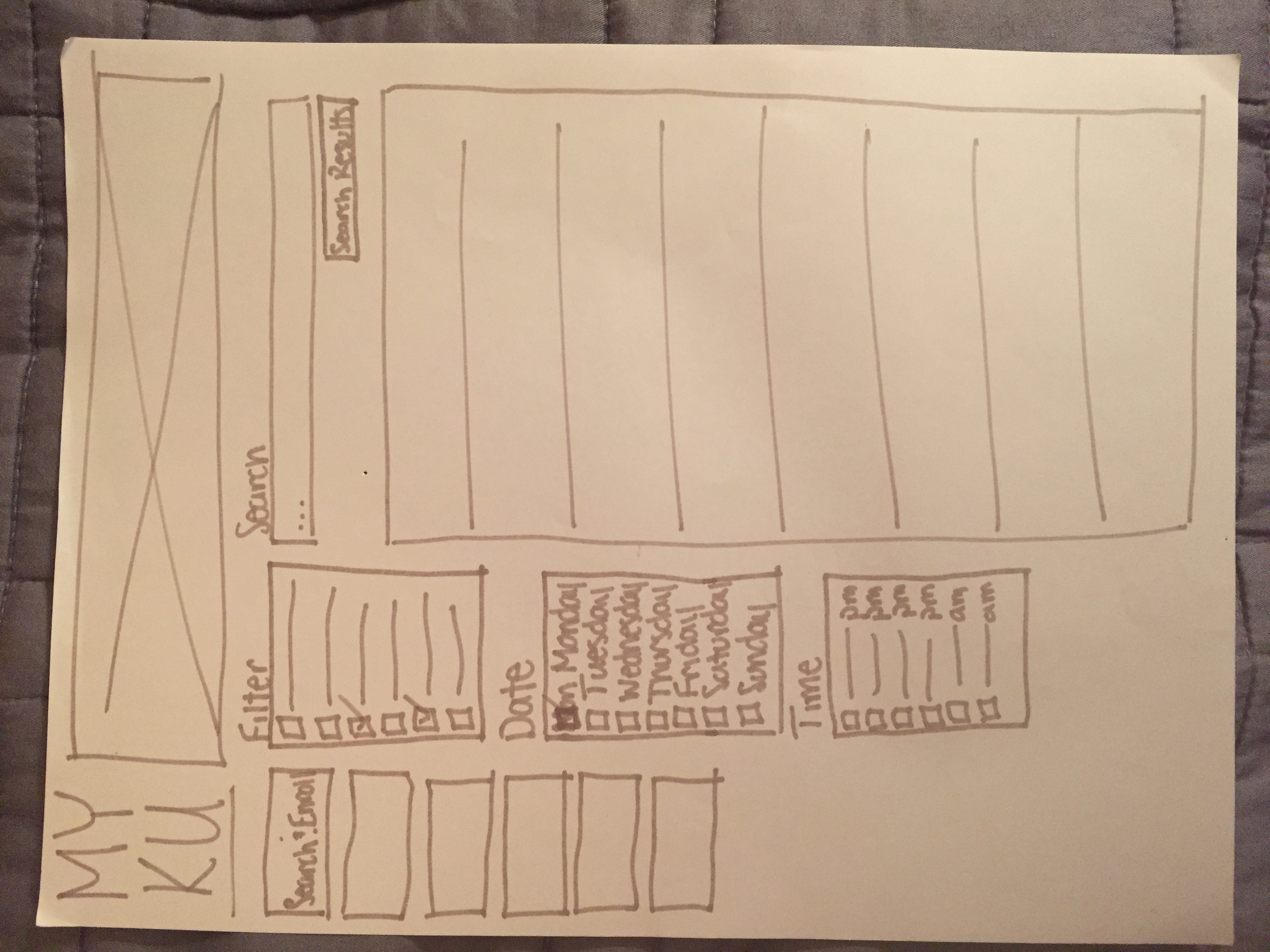
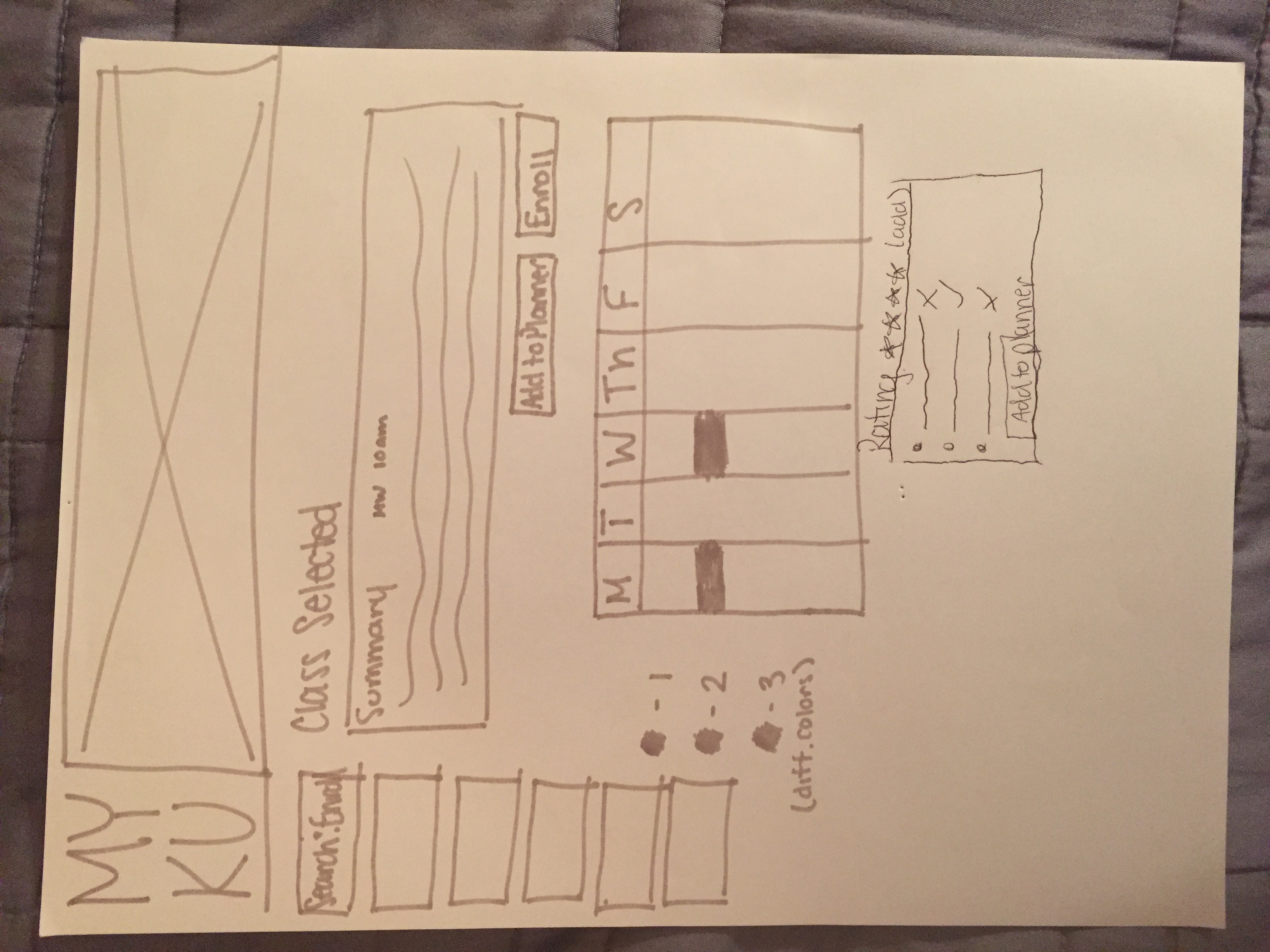
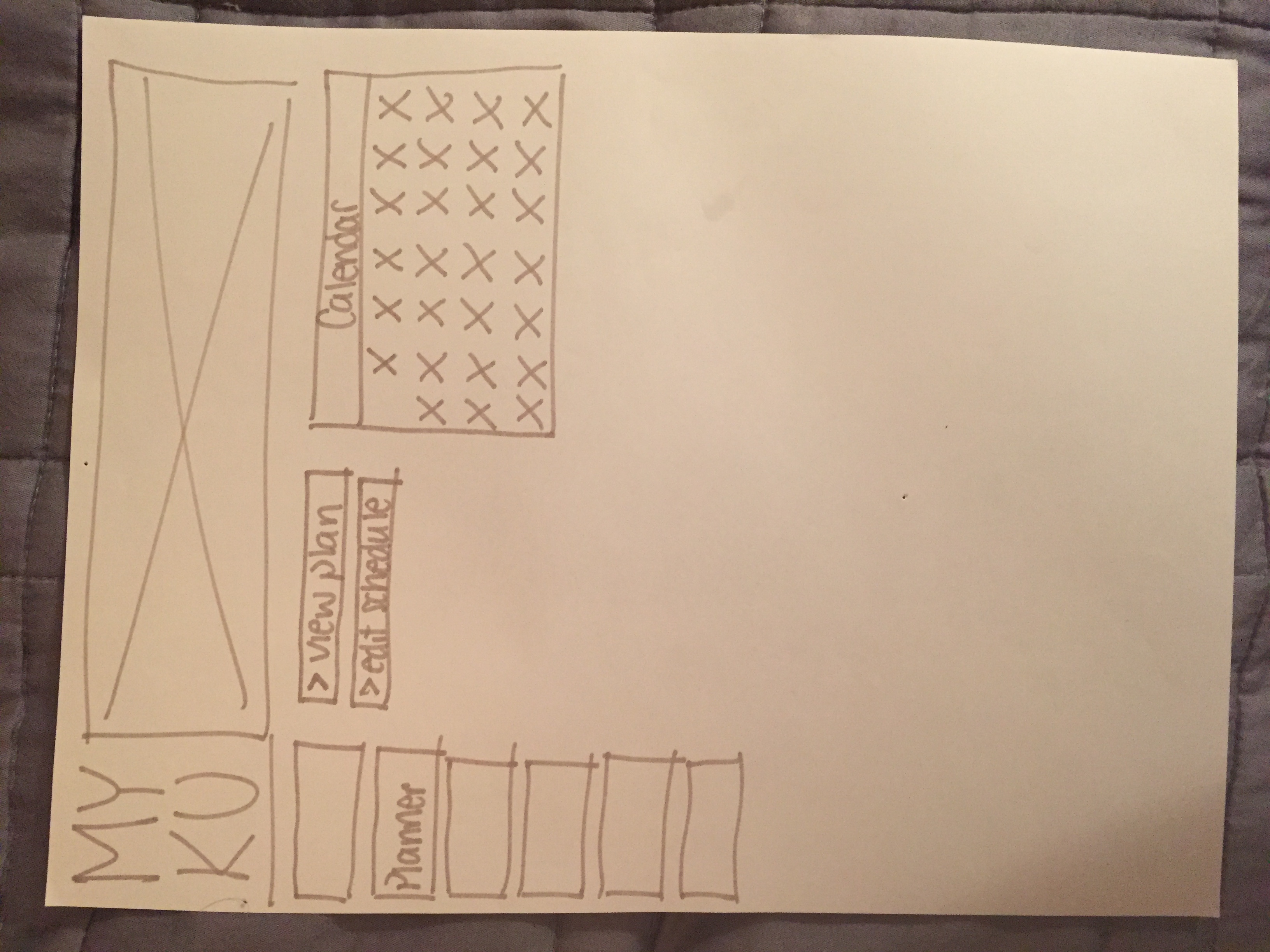
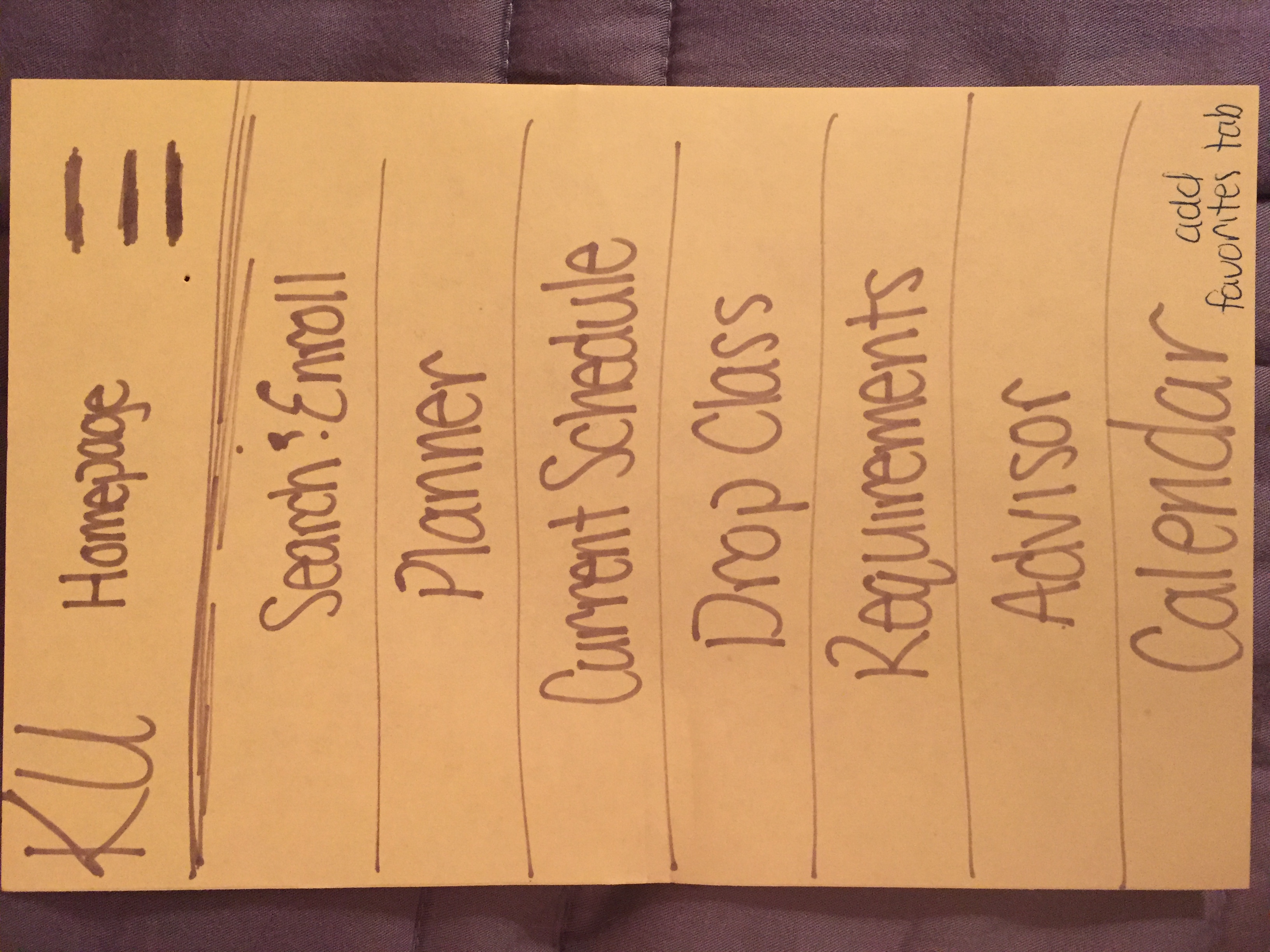
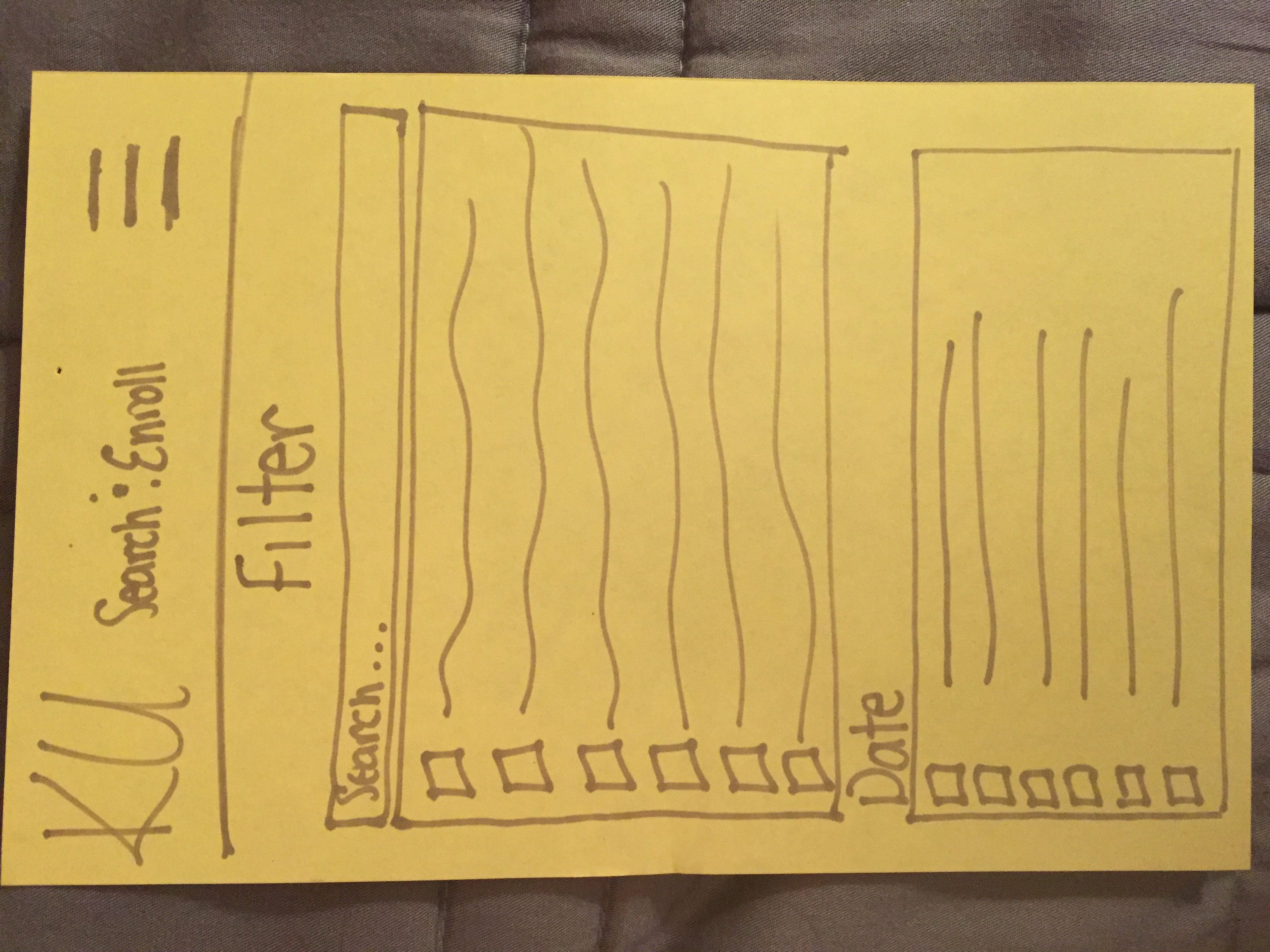
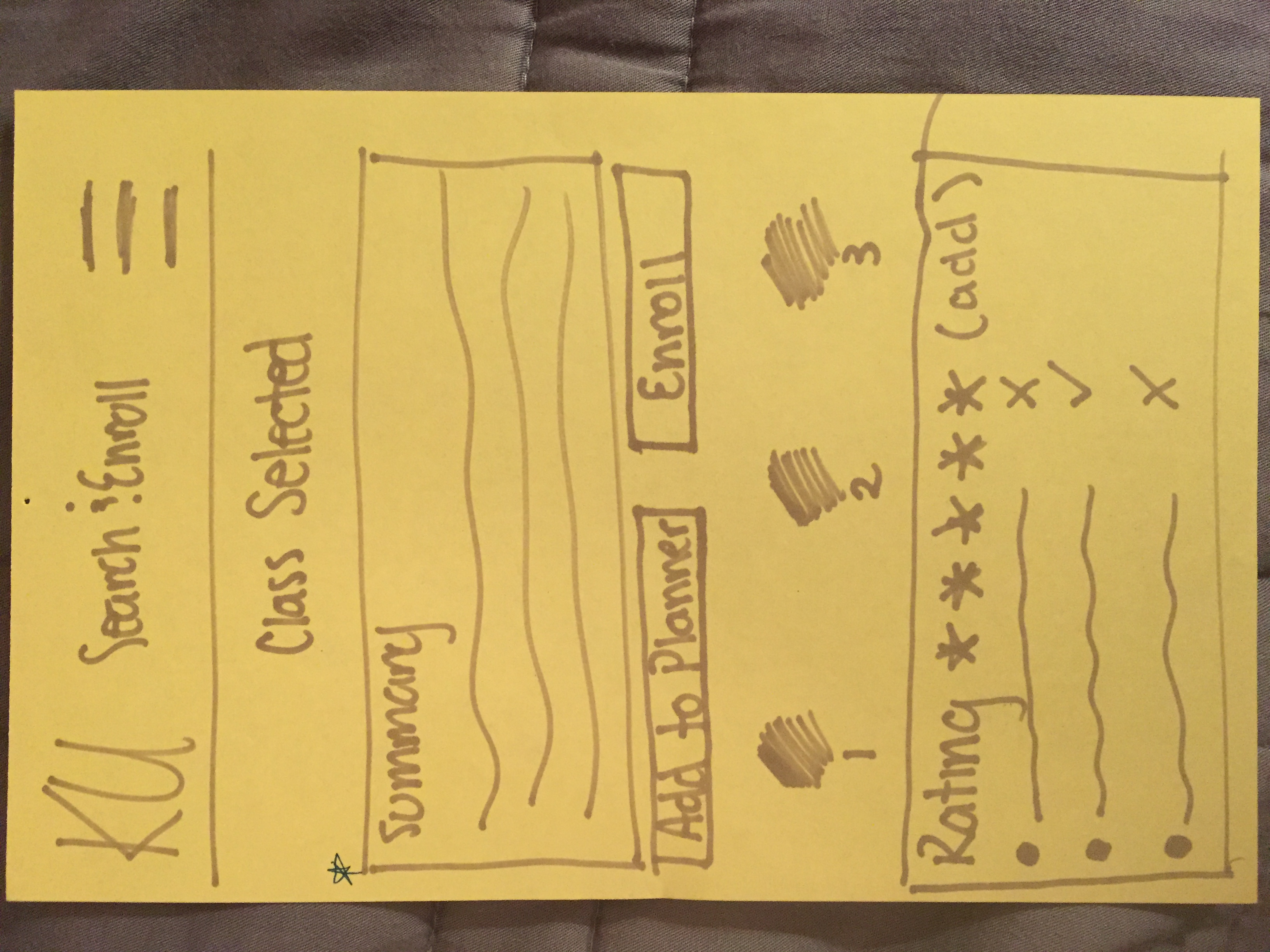

1.You’re not sure what CD classes you need to take in Fall 2020. Figure out what class you need and enroll in CDE 231.
2.You still need to take FAR 162 but it can’t be in the evening because of work. Search for FAR 162 and add it to your schedule for next semester.
3.Search for CDE 277 and add it to your planner option 1. Check to see if there are any conflicts.
4.You just transferred here to KU as a junior in the CD department and need to figure out who your advisor is and set up an appointment. You need to talk about what you want to concentrate in and find out if you met all the prereqs.
5.It’s enrollment day and your time slot is coming up at 11:10am. Go and view your schedule options that you’ve previously put together and enroll in one of them.
6.You want to enroll in FAR 337 Themes and Practices of Photography, but don’t have the prereqs. View your requirements and enroll in FAR 162 Intro to Digital Photography.
7.View your checklist to see what other classes you need to take in the Fall 2020 semester. You see you still need another humanity and are interested in philosophy. Search PHI courses and enroll in one for the morning. Preferably 10am.
Mobile
1.You’re not liking your philosophy class so you want to drop it, but you still need to take intro to photography. Drop PHI 245 and swap it for FAR 162.
2.You want to see how your evenings look. View your current schedule but filter out your morning classes.
3.Registration for Fall 2020 is coming up. You must meet with your advisor before you can enroll in any classes. Set up a meeting with your advisor.
(1) Megan:
Question was unclear for her
Add dates and times to dropdown and add confirm button
Make question clearier w/ requirements
Link all nav bars
Mobile
Didn’t click drop and swap; unclear when saying “add” instead of “swap”
(2) Emily:
Rephrase first question - went to requirements page
Make add to planner button work
Add make appointment button
Mobile
Fix FAR 162 box and get it to hide to start
(3) Josiah:
Went to requirements rather then search
Make requirements page more interactive with enrollment
Add appointment button
Rephrase question with morning classes - got a little confused
(4) Brenna:
Went to requirements
Make options pop to side in the planner rather than drop downs and non clickable
Schedule appointment button shouldn’t be a dropdown
(5) Sarah:
Went to requirements
Did everything else pretty smoothly